Table of Contents
🔥 Introduction
Creating content daily is one of the biggest challenges for bloggers and beginners. Writing articles, designing images, and making videos takes a lot of time.
But in 2026, AI content automation is changing everything.
Now, you can create blog posts, images, and even videos using AI tools in a structured workflow. This not only saves time but also helps you stay consistent, which is the key to growing your blog.
In this guide, you will learn a complete step-by-step AI content automation system that you can follow daily.
🧠 What is AI Content Automation?
AI content automation means using artificial intelligence to automate the process of:
- Content writing
- Image creation
- Video generation
- SEO optimization
Instead of doing everything manually, you use tools like ChatGPT to generate content faster and smarter.
⚙️ Why AI Content Automation is Important
If you want to grow your blog or online presence, consistency is very important.
But manual work leads to:
- Burnout
- Slow growth
- Inconsistent posting
With automation, you can:
- Publish faster
- Maintain quality
- Scale content
🚀 Complete AI Content Automation System (Step-by-Step) 
Step 1: Topic Research
Start by finding a good topic.
Use:
- Google Keyword Planner
👉 Find:
- Low competition keywords
- Long-tail keywords
Purpose and Function
Google Keyword Planner consolidates keyword data to assist advertisers in selecting effective search terms for campaigns. It allows users to find new keyword ideas, analyze average monthly searches, gauge competition intensity, and estimate cost-per-click (CPC). The tool supports campaign budgeting and helps refine targeting across regions, languages, and devices.
Data and Metrics
Results display metrics such as search volume ranges, historical trends, bid estimates, and keyword competition. These metrics derive from aggregated Google Search data, giving marketers insight into keyword performance potential and seasonal patterns. While estimates guide strategy, actual campaign outcomes depend on bid settings and ad relevance.
Integration with Google Ads
Keyword Planner operates directly within Google Ads, enabling users to export keyword lists and create ad groups or campaigns. Integration ensures continuity between keyword research and campaign execution, improving efficiency in paid search management and budget allocation.
Use in SEO and Content Strategy
Although designed for advertisers, SEO professionals and content marketers use the tool to identify topics and search queries with significant interest. It serves as a foundation for keyword mapping, helping teams align site content and metadata with user intent based on Google’s search data.
Step 2: Content Creation
Now generate content using:
- ChatGPT
👉 Create:
- Introduction
- Headings
- Full article
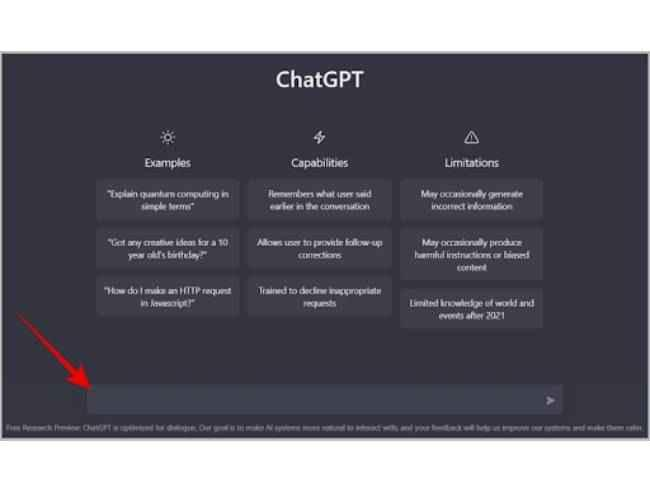
Features and usage
The chatbot enables natural dialogue, creative writing, programming help, summarization, and reasoning tasks. Users interact through web, mobile, or integrated applications. It supports both free and subscription tiers, with the ChatGPT Plus plan providing access to GPT-4 and faster response speeds.
Impact and reception
ChatGPT rapidly became one of the fastest-growing consumer applications, surpassing 100 million active users within months of release. It has influenced education, business automation, content creation, and public debate about AI ethics, transparency, and copyright. Its success accelerated global interest in generative AI technologies.
Ongoing development
OpenAI continues updating ChatGPT with new capabilities such as browsing, code execution, and third-party plug-ins. These improvements aim to make the assistant more reliable, context-aware, and useful for both personal and professional applications.
3. Canva (AI Image Tool)Image Creation.
Canva also provides AI image generation.
Features:
- Beginner-friendly
- Easy editing
Key facts
- Founded: 2013
- Founders: Melanie Perkins, Cliff Obrecht, and Cameron Adams
- Headquarters: Sydney, Australia
- Business model: Freemium (free tier with paid “Pro” and “Enterprise” plans)
- Core feature: Browser- and app-based design editor with templates and collaboration tools
Origins and growth
Canva originated from Perkins’s earlier startup, Fusion Books, an online yearbook design tool. The platform expanded rapidly, positioning itself as a simple alternative to complex design software. Its intuitive interface and vast library of templates and media assets helped it reach millions of users globally within a few years.
Features and functionality
The platform provides an array of design templates for digital and print media, customizable via drag-and-drop editing. Users can access stock photos, illustrations, fonts, and icons, or upload their own assets. Canva integrates real-time collaboration, brand kit management, and resizing tools, making it popular for team and marketing workflows.
Business model and reach
Operating on a freemium model, Canva’s core tools are free, while premium plans add features such as brand management, background removal, and premium content libraries. It has grown into one of the world’s most valuable private software companies, with enterprise adoption across education, marketing, and small business sectors.
Impact and recognition
Canva has been recognized for democratizing design—bridging accessibility between professionals and casual users. It has also emphasized sustainability and inclusion in its operations, with a user base exceeding 100 million globally and a presence in over 190 countries.
Step 4: Video Creation (Optional)
Use:
- Pictory
👉 Convert blog into video
Step 5: SEO Optimization
Use:
- Rank Math
👉 Optimize:
- Title
- Meta description
- Keywords
Step 6: Publish and Link
Add:
- Internal links
- External links
Example internal links:
Step 7: Update and Improve
After publishing:
- Update content
- Add new sections
- Improve SEO
📊 Automation vs Manual Content
| Factor | Manual Work | AI Content Automation |
|---|---|---|
| Time | High | Low |
| Speed | Slow | Fast |
| Consistency | Hard | Easy |
| Scalability | Limited | High |
⚠️ Common Mistakes in Automation
Avoid these mistakes:
- Copy-pasting AI content
- Not editing content
- Ignoring SEO
- Using too many tools
💡 Real Example Workflow
Here’s a simple daily workflow:
- Pick topic
- Generate content
- Create image
- Optimize SEO
- Publish
👉 Total time: 1–2 hours
📈 How This Helps You Grow Faster
With AI content automation, you can:
- Publish daily
- Improve SEO
- Increase traffic
Tool Links
✅ Conclusion
AI content automation is one of the best strategies for beginners in 2026. It helps you stay consistent, save time, and grow your blog faster.
Start using this system today and gradually improve your workflow.
🔗 Related Articles (Read Next)
If you want to learn more about growing your blog using AI, check these guides:
- https://studentaiincomehub.com/seo-using-ai-tools/
- https://studentaiincomehub.com/ai-image-and-video-generation-tools/
- https://studentaiincomehub.com/why-my-blog-is-not-getting-traffic/
- https://studentaiincomehub.com/blogging-with-ai-tools/
❓ FAQ
What is AI content automation?
AI content automation is the process of using AI tools to create blog posts, images, and videos automatically.
Is AI content automation good for beginners?
Yes, it helps beginners save time and create content faster.
Can I rank using AI content automation?
Yes, if you optimize content properly and follow SEO strategies.

Hi, I’m Balaji, founder of Student AI Income Hub. I write practical guides on AI tools, productivity, online income opportunities, and educational technology to help students study smarter, build digital skills, and make informed decisions about AI-powered learning.